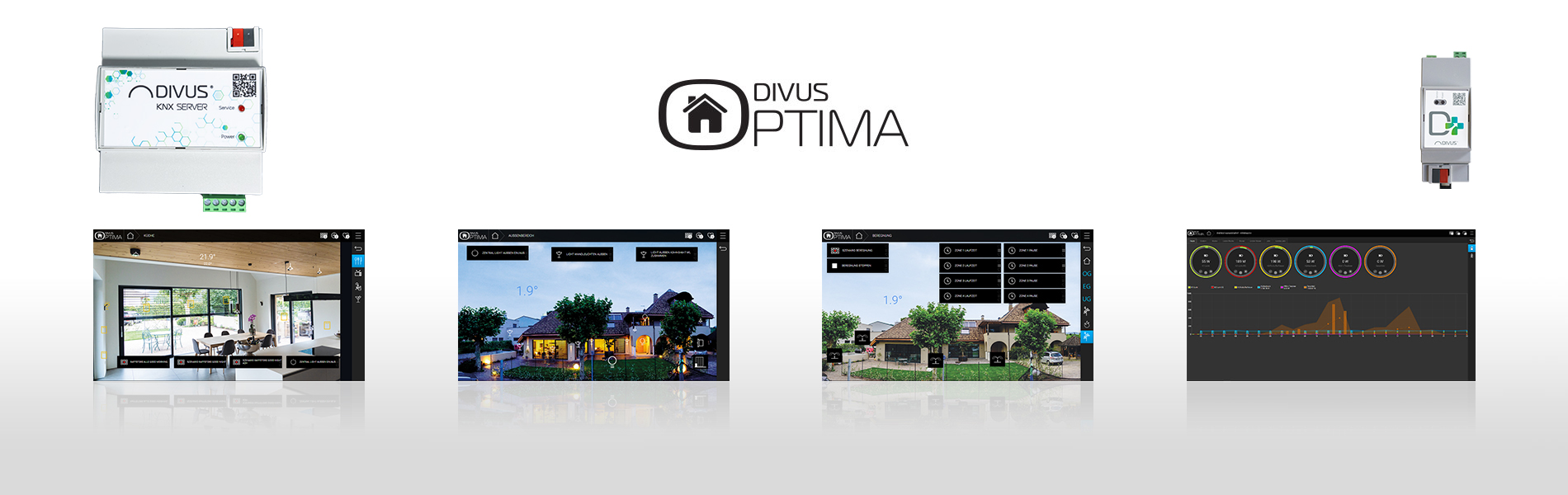
Be inspired by the DIVUS OPTIMA visualisation

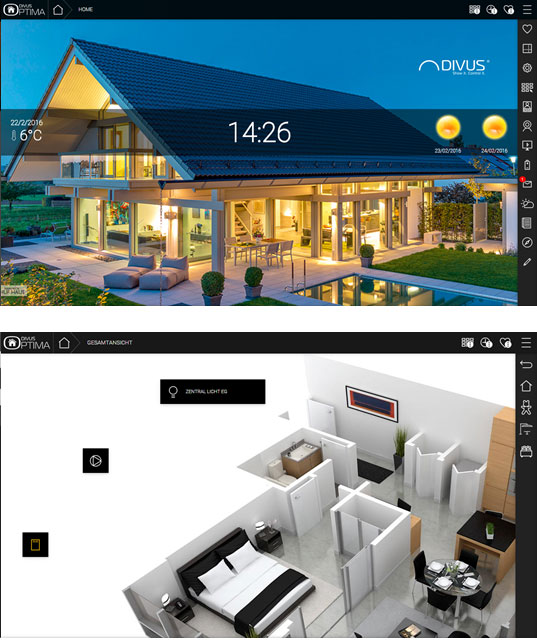
In the luxury version, the electrical installation of the property is individually adapted to the customer's ideas. Additional touch panels are installed, on which individual floor plans or room photos are added. Specially designed icons can be easily positioned in the room by drag & drop.

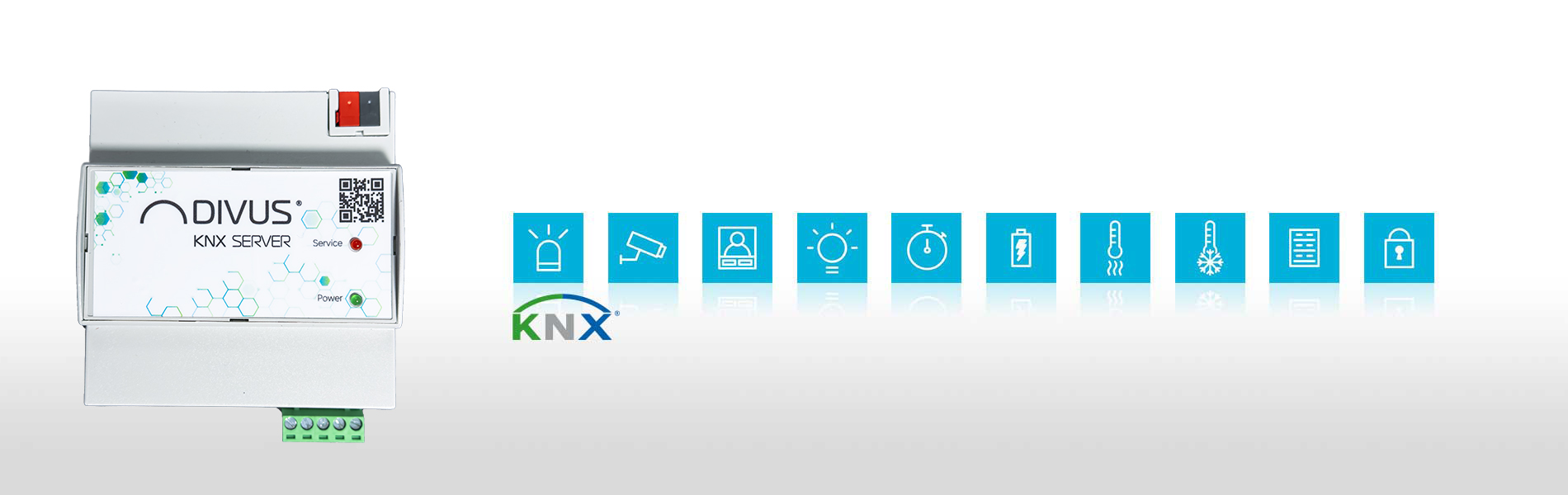

KNX SERVER
The visualization can be created in full graphic mode, in which the operating functions can be placed directly on the background image, or in grid view. In addition to classic floor plan representations, real room pictures can also be used as background. Placed objects are either activated directly due to their operating options or open for extended input options. The menu bar that can be shown is used for easy navigation between floors, rooms and comprehensive functional areas for light, climate, shading, security control, scenarios, web pages, weather forecasts, news tickers or the message board.
Full design and functional diversity
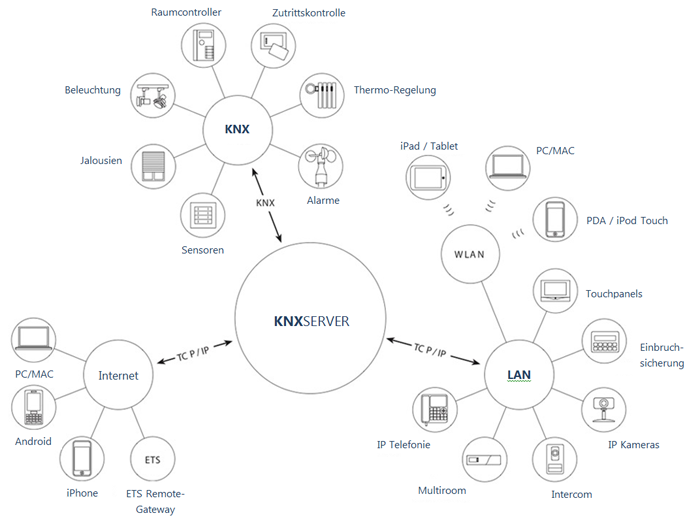
The KNX SERVER also works in combination with mobile operating devices. This includes the Apple world with iPhone, iPad and iPod as well as the Android world with countless smartphones and tablets from manufacturers such as HTC, SAMSUNG, MOTOROLA, ACER, HUAwEI, and many more.
- Hardware specifications
- Software specifications
- Functional diagram
- Setup and commissioning
- Visualization
-
Power Supply 12-24 VDC Stecker mit Schraubverbindung Eingang von Verpolung geschützt Power Consumption 3 W (240mA bei 12V) Interfaces KNX RS232 (1x) D-SUB 9-Polig männlich USB 2.0 (2x) LAN (1x) RJ45-Schnittstelle (10/100 Mbps) Storage Extension SD/SDHC bis 32GB Reset Hardware-Button an Unterseite des Gehäuses LED Rot (1x) Reset läuft / Fehler Grün (1x) Betriebs-LED Protection Grade IP 20 (nach EN 60529) Protection Class II (nach EN 60335-1) Temp.Range (Usage) +0°C ... +50°C Temp.Range (Stocking) -10°C ... +70°C Dimensions 142 x 98 x 62 mm DIN 8REG Material Selbstlöschendes Plastik-Gehäuse (AE) -
 * benötigt Zusatzmodul
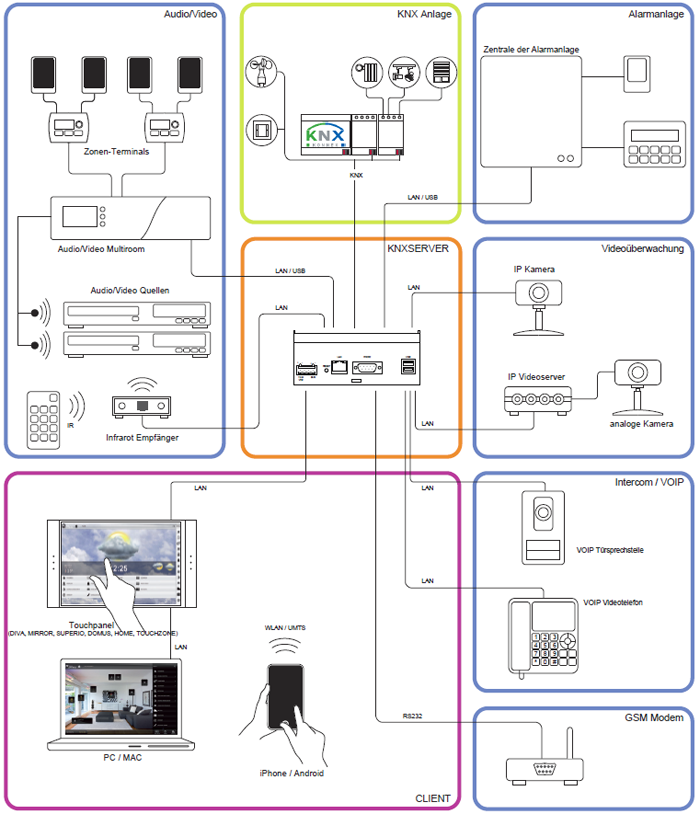
Standard Technologies KNX VoIP / SIP* RS-232 / TCP Controllable Elements Beleuchtung Heizung / Kühlung Fenster- und Türkontakte Beregnung Thermo-Regelung Alarmsysteme Energieverwaltung Lastkontrolle Wetterstation IP Kameras Intercom* Diebstahlsicherung* Multiroom* User Interface Web/Html5 (Alle Betriebssysteme) App-Unterstützung Browser Compatibility Google Chrome Mozilla Firefox Apple Safari Compatible Operating Systems Microsoft Windows Apple Mac OSX Linux Apple iOS Google Android Client Amount Unlimitiert (ohne Lizenzkosten) Parallel Connections Bis max. 20 (auf Anfrage höher) -
-
 * Requires additional module
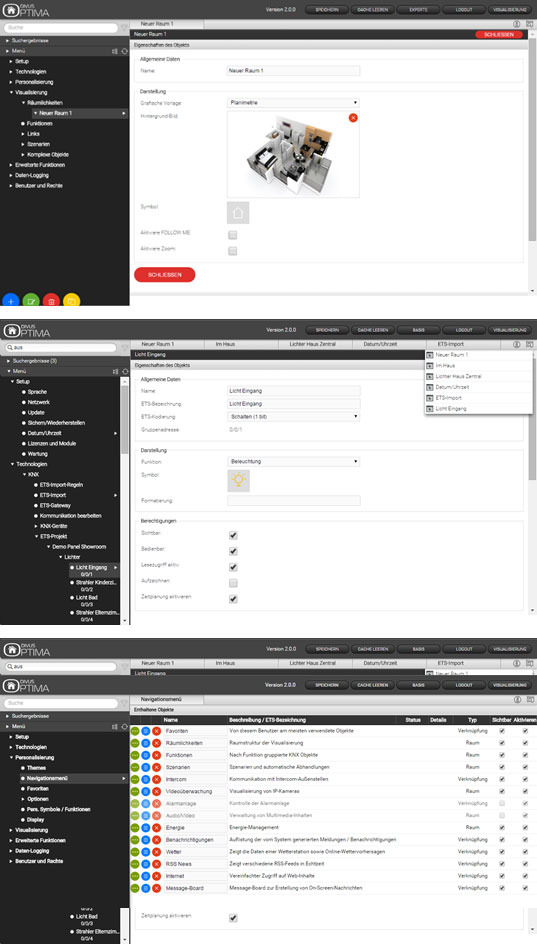
Configuration Possibilities Online Configuration Possibilities Configuration Interface Search function Navigation menu with access to all functions Drag & Drop Multi-Tab support for configuration of more than one object contemporarily Setup and Maintenance Network Date / time Backup / restore of the project Language support (Italian / English / German) Selection of graphical themes and layout adaptions Software-Update via Browser KNX Visualisation Project import from ETS through converter tool Automatic creation of the functions Import rules connected to the KNX group addresses ETS gateway functionality also through internet Rooms / Pages Arbitrary amount of pages and rooms Layout in grid and background view Background pictures freely customizable Free positioning of the functions Extended Functionality Szenarien inkl. Wartebefehle Complex objects for uniting functions Logic functions Value comparisons and conditions Virtual objects Integrators PCustomizable functions thanks to scripting support Timer / Scheduling Arbitrary amount of daily schedulings per object Weekly and yearly schedulings Configuration interface for final user History / Datalog Automatically for each object of the software Periodic graphical representation (hours, days, months, years) Value comparison between different periods Energy Management Support for KNX energy counter Support for KNX load controller Graphical display of consumption Visualisation of current load in real-time Value comparison and direct load control Notifications OnScreen notifications (3 Level) E-Mail Interom* Intercom/VoIP* Up to 20 SIP members Call groups Phone lines** Automatical pop-up of incoming calls More than one video signal per external unit configurable Door opener Usable through SIP compatible smartphones Connection to Third-Party-Software URL SOAP M2M Customization Customizable graphical elements Different graphics selectable for the functions Integrated scripting routines for function extensions Users and Security Arbitrary amount of users Automatic login thanks to trusted IP configuration SSL protected remote access SSL-Verschlüsselung bei Remote-Zugriff
-
Layout Different graphical themes Layout adapts to screen resolution Automatic resize for mobile devices Support of touch and multitouch systems Performance Commands are sent in real-time** Animations and graphical effects Support for HTML5 caching Optimized for iOS and Android Navigation Customizable graphical pages Navigation through rooms on different levels Navigation through functionalities Complex functions with pop-up controls Navigation menu customizable and always visible Single-click access for most important functions Customization Favourites Home Scenarios Time scheduling Notifications OnScreen notifications Mail Intercom* Additional Services Weather preview RSS News Web-Browser Family Board
* Requires additional module
**Performance may vary depending on the available network connection
Function overview KNX SERVER and D+
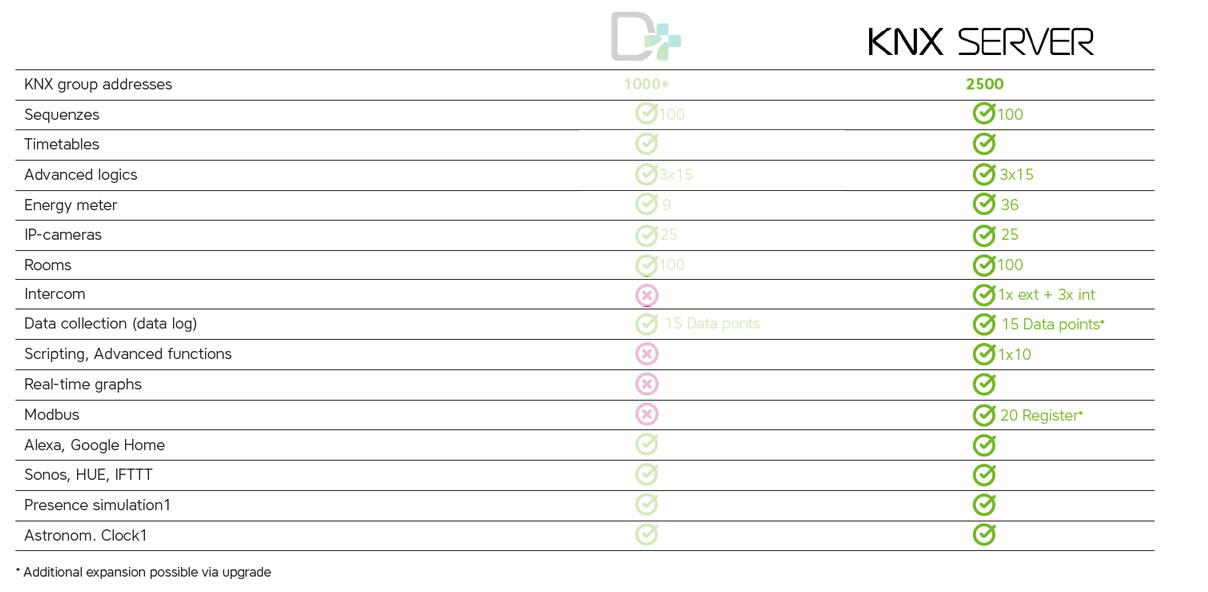
You don't need all these options? Here you can read more about D+
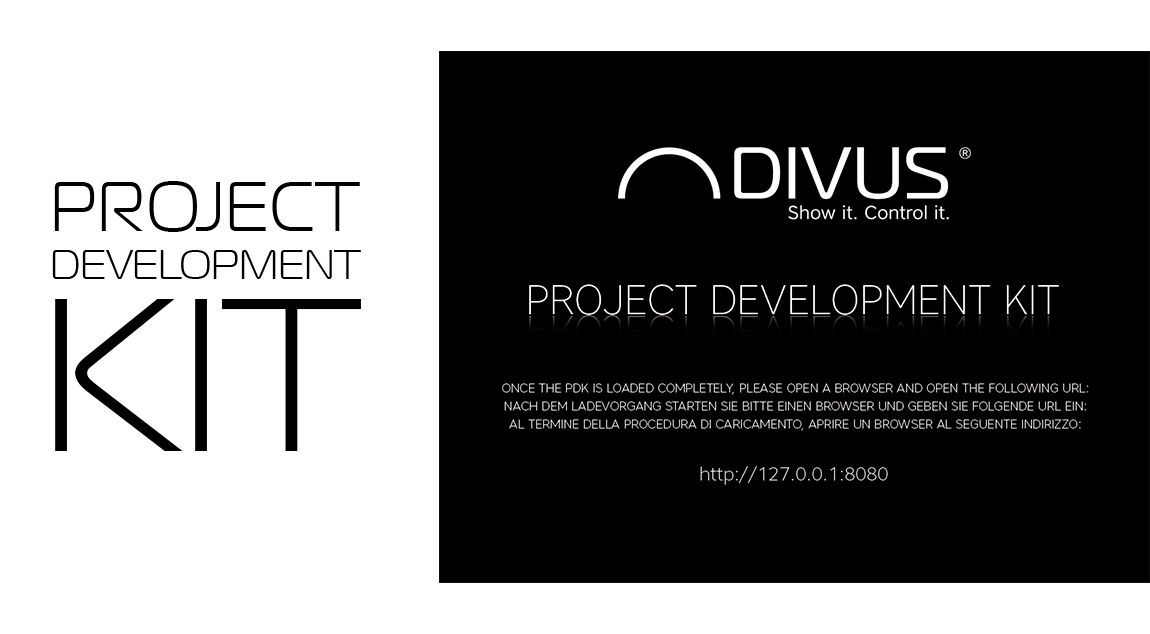
DIVUS Project Development Kit
-
Creating projects for KNX SERVER / KNX SUPERIO directly on the own PC, without connection to the hardware itself
- Becoming acquainted with the functionalities of the new OPTIMA interface
- Using the tool as demo software for product presentations
Read more about DIVUS PDK...

DIVUS OPTIMA Interface
DIVUS OPTIMA – the interface to your system
Both KNX SERVER and KNX SUPERIO will show the functions of your system in a stylish and intuitive way: through the OPTIMA interface.
Thanks to the integrated web support, the interface can be shown on all kind of devices with a compatible browser and will automatically adapt its contents to the different conditions (resolution, size …). The use of the interface has been optimized for devices with touchscreen and – in addition to controling of the KNX system – offers a huge amount of additional functionalities.
Get an idea of how your visualization with DIVUS OPTIMA might look like. Simply click on the following link to be redirected to our demo server:
optima.divus.eu
username: user
password: user
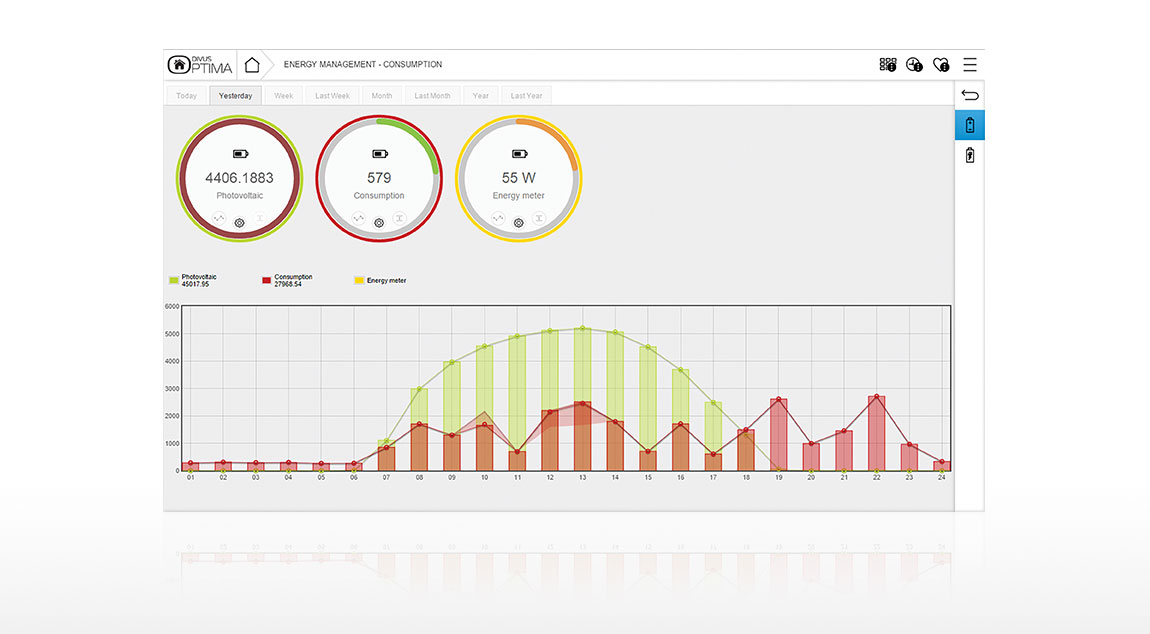
DIVUS OPTIMA Upgrades
In DIVUS OPTIMA it is generally possible to record electrical loads graphically. The UP-DATALOG-SW extends this feature, so that a free configuration of graphs of arbitrary values, such as temperatures, brightness, status feedback, percentage values etc. is possible. Various types of graphical representation are available, whereby the respective graphical output may be optimally adapted to the respective purpose. This allows the user to gain the easiest and fast way an overview of the current situation.